How to set up an RFID system in your business: the seven steps

How to set up an RFID system in your business: the seven steps

Setting up an RFID system in a business comes down to seven steps: frame the need and the metrics, choose the frequency, test the RFID label on real objects, size the readers and antennas, connect the reads to the ERP or WMS, prove it with a pilot, then roll out and train. The order is not decorative: each step locks in the decisions of the next.

An RFID project rarely fails for technical reasons. It fails because the scope widened along the way, because 20,000 labels were ordered before a single one had been stuck on a real object, or because nobody recorded the inventory time before the rollout. All three are fixed at the framing stage.

This guide sets out the sequence we apply at SBE Direct, with the figures that matter: 865-868 MHz in Europe, 2 W ERP maximum power, 128 bits of EPC, and read ranges measured on site rather than read off a catalogue.

1. Define the need and the metrics

Which need are you covering, and which objects are you identifying?

Start with the problem to solve, not with the hardware. Three metrics are enough to qualify an RFID project: the time spent taking inventory, the gap between theoretical and counted stock, and the error rate on picking or dispatch. Record them before buying anything. Without a starting value, a pilot will prove nothing to anyone.

Then count. Number of objects, number of sites, number of read points per day. And settle the granularity: the unit (a laptop, a tool), the batch (a carton, a pallet) or the reusable container (a crate, a bin). That choice determines the label volume, and therefore the RFID budget before the first quotation.

One last decision, the boundary of the project: RFID identifies and locates at a given moment. It manages neither depreciation, nor contracts, nor allocations. That work belongs to the software, and confusing it with the technology is the leading cause of disappointment at the end of a rollout.

If the scope includes people's access - doors, zones, workshops -, treat it as a second subject. RFID badges and cards are read from a few centimetres away, with a separate reference database and separate data protection rules. For an overview of the technology before framing anything, our article understanding RFID in 10 points gives business and IT teams a common base. And to quantify the expected gain on counting, our field feedback on RFID inventory sets out the time items to record.

2. Analyse the environment and choose the frequency

Which frequency should you choose: HF, UHF or NFC?

In Europe, the UHF RFID frequency used for logistics flows and asset identification sits between 865 and 868 MHz, with radiated power capped at 2 W ERP by the ETSI EN 302 208 standard. It is the band that carries furthest, reads several dozen labels per second and allows inventory on the move within a radius of several metres.

HF (13.56 MHz) and NFC work at a few centimetres, cope better with environments full of metal and water, and can be read with a smartphone. Relevant for a badge, a locker, a part in a crowded workshop; not enough to count 3,000 pallets in a warehouse in one morning. The respective uses are set out in detail in RFID HF, UHF, NFC: differences and professional uses.

The choice is made on site, not from a catalogue. Three surveys: the nature of the substrates (bare stainless steel, aluminium, liquids, cardboard, filled plastics), the read distances expected, and the sources of interference (variable speed drives, motors, trucks, anti-theft gates, Wi-Fi access points). One test at real power in the real building beats ten data sheets.

3. Choose the tag and test it on real objects

Which tag should you choose, and how do you test it on real objects?

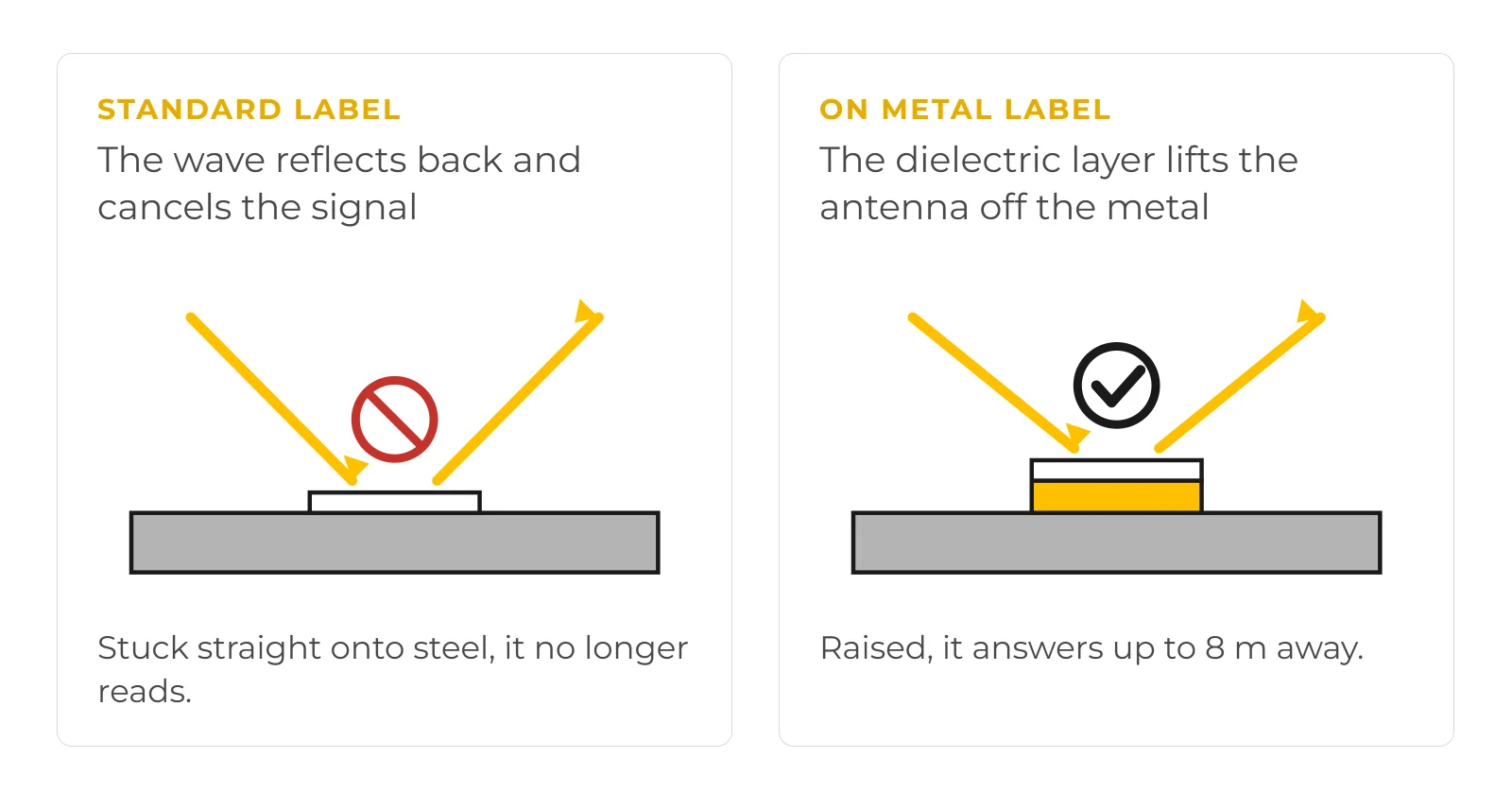
An RFID label is chosen on five criteria: the substrate, the adhesive, the expected service life, the printable format and the chip. A standard label stuck on a metal casing does not read; an "on metal" label stuck on cardboard works, but costs more for nothing. Our guide how to choose your RFID label sets out these trade-offs, and the catalogue of RFID labels covers the common formats.

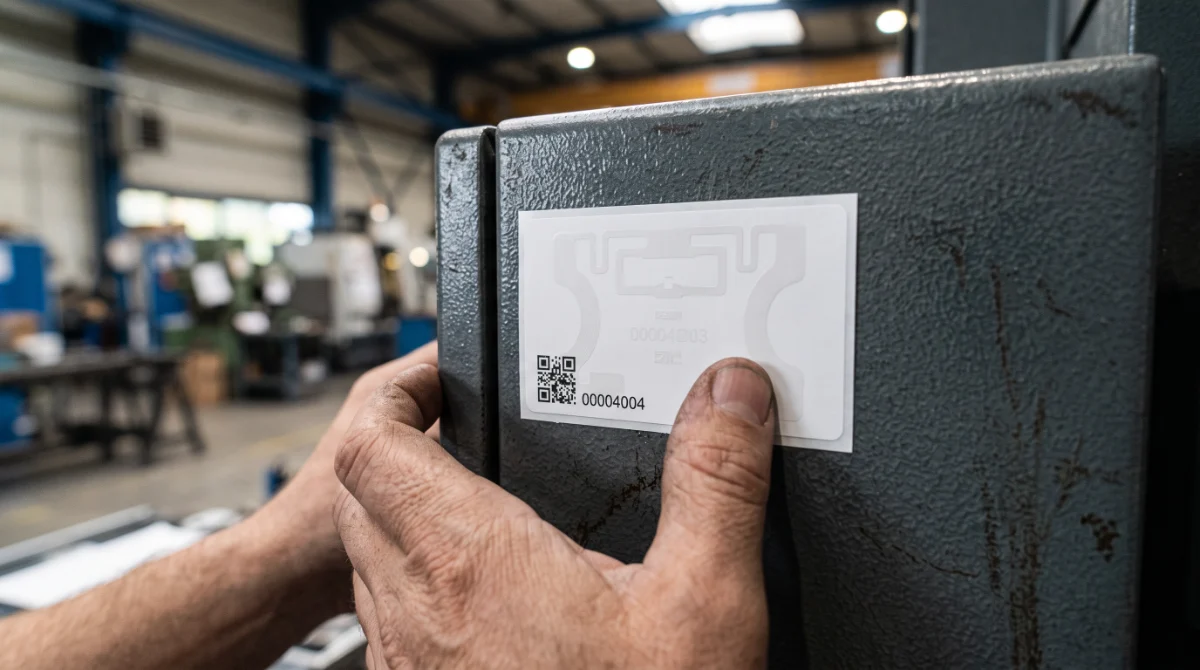
On metal, the reflected wave cancels the label's signal. The dielectric layer of the On Metal version lifts the antenna off the surface and restores the read.

The test protocol fits on one page. Twenty to thirty labels stuck on the real objects, in the real places, read with the chosen reader at the chosen power, in the least favourable configuration: object full, stacked, masked by another. Count the read rate over one hundred passes. Below 95 %, the label or its position is not right.

For a fixed asset estate in an office environment, a 65 × 35 mm UHF RFID inventory label, factory encoded and numbered (Impinj M730 chip), covers most needs: a format legible to the eye, a unique serial number printed on it, and a rewritable EPC Gen2 compliant chip. The product sheet states 128 bits of EPC memory and 96 bits of TID, a range of up to 10 m in the Standard version and 8 m in the On Metal version, with rolls of 1,000 labels (45 mm core) or 400 in On Metal. The communication protocol, ISO/IEC 18000-63, is the same across all serious reader manufacturers - interoperability is not up for negotiation.

Application is tested on the real object, in the real place: it is the substrate that decides the range, not the data sheet.

4. Size the readers, antennas and printers

How many readers, antennas and printers do you need?

Three families of equipment, three uses that do not replace one another:

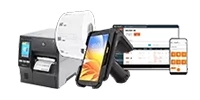
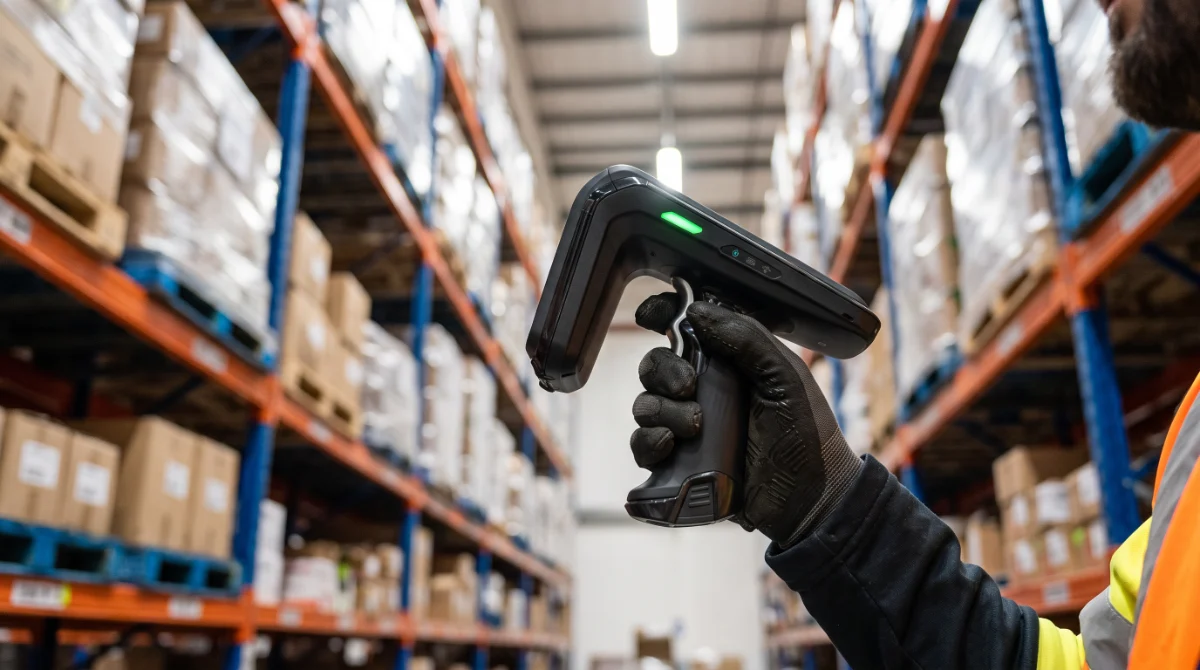
  • →The handheld gun or mobile terminal for cycle counts and for finding a specific object. It is the most profitable purchase to start with.
  • →The fixed reader with antennas for dock portals, zone entrances and conveyors. It works without an operator, but requires a placement study.
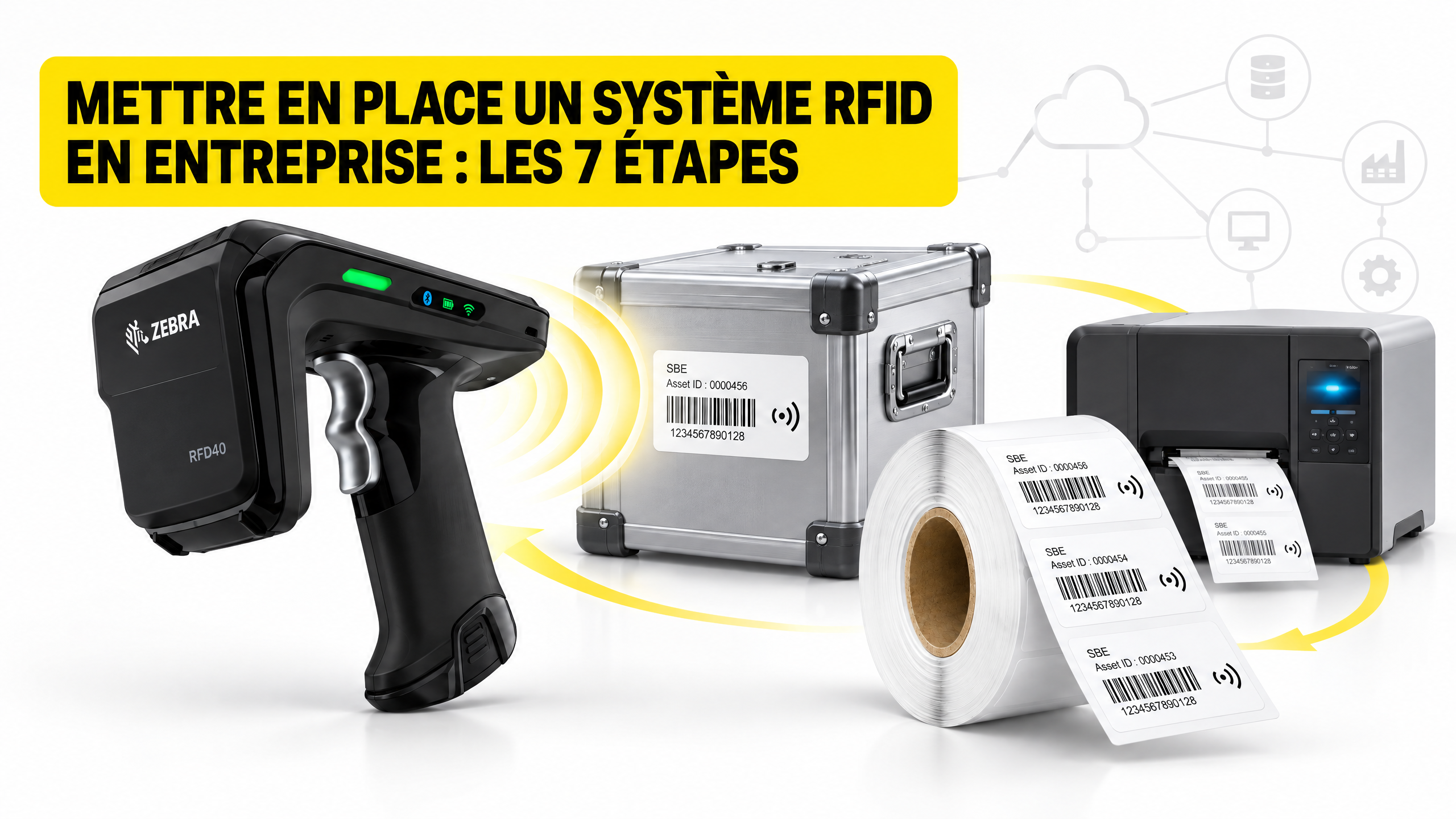
  • →The combined terminal when the same person reads barcodes and RFID: the TC22 with an RFD40 adapter, or a TC22R outright. The comparison Zebra TC22 or TC22R helps decide according to volumes.
The mobile terminal is the most profitable purchase to start with: it covers both cycle counting and finding a specific object.

Size in read points, not in number of antennas. A wide portal needs two crossed antennas to cover both polarisations; a side read plane needs only one. Then check what never appears in a quotation: the mounting, the cable routing, the power supply in the right place and the Wi-Fi coverage for the terminals. The catalogue of RFID readers gives the real ranges and ingress protection ratings per model.

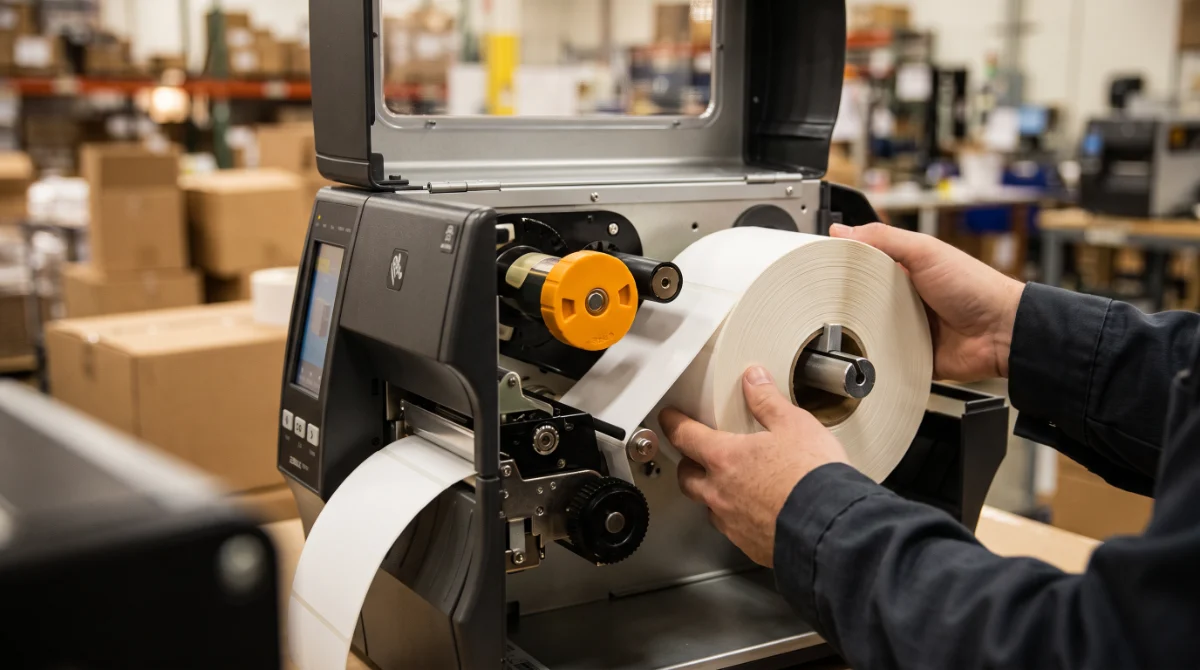
On the printing side, an RFID printer encodes the chip and prints the artwork in a single pass: that is what makes a rollout across 10,000 objects workable. Also plan for consumable replacement and a buffer stock of labels. The models and their core constraints are on the RFID printers page.

5. Connect RFID to the ERP or WMS

Which data goes up into the ERP or WMS?

An RFID read is not business data. Between the two, you need a layer that deduplicates, filters, timestamps and turns the raw event into a movement: stock receipt, issue, transfer, inventory, allocation. That is the role of intermediate RFID software, and that is where ERP and WMS integration is actually decided.

Four rules avoid 80 % of rework:

  • →One unique identifier per object (the EPC), never reused after decommissioning.
  • →The EPC remains a key to the asset record: it does not carry the business data.
  • →Every event is traceable (reader, antenna, operator, timestamp).
  • →The messy cases have a defined treatment: unknown tag, duplicate read, object expected and not read.

The quality of the reference database counts for more than the range of the antennas. One badly entered identifier, one object missing from the fixed asset file, and the most reliable read produces nothing but one more discrepancy. To place the stakes beyond inventory alone, see our article on industrial automation and its use cases.

If the system identifies people - access badge, workshop tracking -, you are processing personal data. The CNIL publishes an example of employee information for badge access to premises: purpose, legal basis, data collected, recipients, retention period (three months in the example) and rights. It is adapted, not copied, and it has to be completed if the RFID also serves to locate.

6. Launch a pilot

How do you frame an RFID pilot that convinces?

An RFID pilot is limited to one site, one process and one set of objects. Three more months on a clean scope beat six months on a total project. In the rollouts we support, a readable pilot fits into six to ten weeks, training included.

The success criteria are those of step 1, with the starting value recorded beforehand. You measure the read rate, the inventory time, the stock discrepancy after counting, the number of anomalies per 100 reads and how long an operator takes to get the hang of it. You do not measure satisfaction with a demonstration.

Two pitfalls to avoid: widening the scope during the pilot ("while we are at it, let's add the Lyon site") and launching it without real users. The two or three operators who will run the tool day to day must be in the test from the first week. Their comments on ergonomics and on where the hardware sits always come in before those of the steering committee.

7. Roll out, train and maintain

How do you train the teams, and what has to be maintained?

The rollout is a labelling plan before it is an installation: who applies the labels, when, where on the object, and with what read check after application. An object labelled without an immediate re-read is a future discrepancy.

Training is measured in minutes: thirty for an operator who reads and records, two hours for a local champion who encodes, replaces and troubleshoots. Without a local champion, every fault becomes a ticket.

The RFID printer encodes the chip and prints the artwork in a single pass: that is what makes a rollout across 10,000 objects workable.

Maintenance fits into five lines: cleaning the antennas and portal windows, checking the adhesive on difficult substrates, a replacement stock equal to 2 to 5 % of the estate, firmware monitoring, and a quarterly review of the metrics. That is what separates an industrial traceability system that ages well from a project that stops at the first office move.

What budget should you plan for an RFID project

The four items to cost

An RFID budget is built from four items, never from a global price. Only one is recurring - the labels -, the other three are one-off.

Item What makes the price vary Order of magnitude
RFID labelsannual volume, format, substrate (metal, washing, high temperature)Roll of 1,000 UHF 65 × 35 mm labels (Impinj M730): from €257.00 to €358.80 excl. VAT; On Metal roll of 400 labels from €296.00 excl. VAT; specialised label: from €0.70 to €1.00 excl. VAT per label depending on format and personalisation (on metal in rolls of 2 x 500, heat-seal textile in packs of 1,000)
Readers and antennasfixed or handheld, range, number of antennas, IP ratingFrom €1,756.80 excl. VAT for an RFD40 sled mounted on a Zebra TC22/TC27 terminal to €2,966.40 excl. VAT for an all-in-one TC22R RFID terminal; fixed readers and antennas are quoted individually, based on the number of read points
Printing and initial encodingRFID printer, ribbon, re-tagging the existing estateFrom €2,366.40 excl. VAT for a desktop RFID printer (Zebra ZD621R) to €5,970.00 excl. VAT for an industrial printer (SATO CL4NX Plus) for encoding a batch of 1,000 standard labels, or 2 x 500 labels in the on metal version
ERP or WMS integration and supportinterfaces, data migration, training, supportQuoted on a project basis; on the software side, the annual SAM* (SBE Asset Manager) licence ranges from €1,196.40 to €27,584.40 excl. VAT

The prices above are the public rates excl. VAT shown on our sbedirect.com product sheets as at 11/11/2026, before volume discounts. Fixed readers, antennas and ERP or WMS integration are still quoted individually: the scope varies too much from one site to another for a generic estimate to mean anything on a multi-year commitment.

Two calculation rules help you avoid costing the wrong item. First, the recurring cost of labels depends on the replacement rate: on a fixed asset estate, you replace few; on logistics containers, you replace every year. Second, hardware never accounts for half the budget on a multi-site project: integration, data migration and training often weigh as much as the readers. A single-site pilot lets you validate all four items before committing.

5 mistakes that sink an RFID project

  1. Buying the hardware before testing the labels. Hardware can be changed, an estate of labels already stuck on cannot. A test of twenty labels costs half a day; re-labelling 15,000 objects costs a quarter.
  2. Labelling a dirty reference database. Inventory duplicates, unregistered objects, location discrepancies never corrected: RFID reveals the existing errors instead of hiding them. Clean the file before you stick anything on.
  3. Choosing standard UHF on metal. A standard label stuck on a metal shell or chassis sees its range collapse. The On Metal version, with its dielectric layer, exists precisely for that - and is tested like everything else.
  4. Confusing reading with managing. Without rules for deduplication, filtering and exception handling, a thousand reads a minute produce a thousand anomalies. That is software work, not antenna work.
  5. Rolling out everywhere at once, or running a pilot with no success criteria. Both come to the same thing: nobody knows what worked. One site, one process, starting metrics and a quantified target.

Setting up an RFID system in a business is not a hardware purchase, it is a sequence of decisions to lock in order: metrics, frequency, tested labels, sizing, integration, pilot, training. The first three determine 80 % of the final result.

If you take only one thing away: test the label before everything else. A project that has measured its read rate on the real objects and its inventory time before rollout defends itself in an investment committee. The others come back to see us three months after launch, with questions about range.

An RFID project to frame?

Tell us the objects to identify, their substrates and the volume to label: we will settle the frequency, the label and the test on your real objects.

See RFID labels →

Frequently asked questions

How long does it take to set up an RFID system in a business?▾

Allow two to four weeks of framing (need, metrics, label tests), a pilot of six to ten weeks on one site, then a progressive rollout by site or by process. A single-site project generally completes within a quarter; a multi-site estate spreads over six to twelve months, more because of data migration and training than because of the hardware.

Do you need a special RFID label for metal?▾

Yes. Metal reflects UHF waves and cancels the signal of a standard label stuck straight onto the surface. Labels described as On Metal include a dielectric layer between the antenna and the substrate, which keeps the read working on steel, stainless steel, aluminium or equipment chassis, with a slightly lower range (8 m against 10 m on a 65 × 35 mm label with an Impinj M730 chip).

Do you need authorisation to use UHF RFID in France?▾

The 865-868 MHz band is open subject to technical conditions: the ETSI EN 302 208 standard sets the maximum power at 2 W ERP and the channel access rules for compliant equipment. Buy compliant hardware and respect the authorised power; use does not require an individual licence, but the installation must stay within the framework of the standard. As soon as data about people is processed, employee information is added to those obligations.

Can you keep barcodes alongside RFID?▾

Yes, and it is in fact common. RFID speeds up inventories and bulk reads; the barcode remains useful for supplier identifiers, paper documents and the places where the RFID label has been removed. What matters is a unique identifier common to both carriers, so that the reference database does not split in two.

What read range should you expect from a UHF RFID reader?▾

The theoretical range of a 65 × 35 mm UHF label reaches 10 m, but the useful range is always measured on site. It depends on the reader, the authorised power, the orientation of the antenna, the object it is stuck to and the density of objects. In practice, a reliable read in cycle counting happens at 1 to 3 metres, and a pass read at a portal at 2 to 4 metres. Any figure stated above that should be verified during the label test.

Melissa Oumaouche
See the author's articles
Melissa Oumaouche

With over 5 years of experience in creating content optimized for search engines, Mélissa is currently Marketing & Product Manager at SBE Direct, where she leads the product catalogue positioning across the e-commerce website and marketplaces, as well as the SEO content strategy in coordination with the marketing team she oversees.

We use cookies to improve your experience.