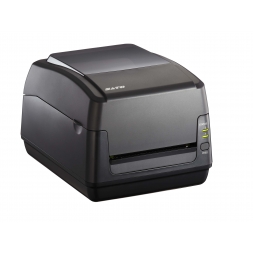
A printer is an essential office tool. Its invention has revolutionized a multitude of sectors. It is not simply a matter of projecting ink onto a blank sheet of paper. It is nevertheless a tool at the cutting edge of technology, combining several skills for various media and uses. So let us guide you through the world of thermal label printing and let us discover together the differences between thermal transfer printers and direct thermal printers!
What is thermal printing ?
Thermal label printers are very accurate and produce very high quality printing with excellent edge definition. However, there are two methods of thermal printing, each of which requires a thermal print head that applies heat to the surface you wish to mark.
On the one hand, there is thermal transfer printing and on the other hand direct thermal printing. These two processes have a resolution which is determined by the number, the size and the arrangement of the heating elements, expressed in points per inch (dpi). The higher these dots are, the higher the resolution will be. Generally, thermal printers are between 203, 300 and 600 dpi.
What is thermal transfer printing ?
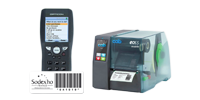
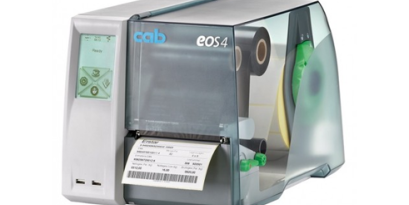
The print head heats up, which causes a spot heat to be applied to the surface of the ink ribbon. This heat causes the ink to melt and be deposited on the label. It is thus thanks to the transmission of heat that the model is engraved on the ink ribbon which implies a very good resistance of the impression and a superior lifespan (see the label printer CAB MACH 4S).
What is direct thermal printing ?
The print head heats up which results in a point heat transfer directly onto the surface of the label paper. The labels are not innocuous, but have a heat sensitive coating, which means that the label darkens when heated or exposed to sunlight. The thermal resistance of these labels allows us to print without ink.
Between thermal transfer and direct thermal printing: which choice to make ?
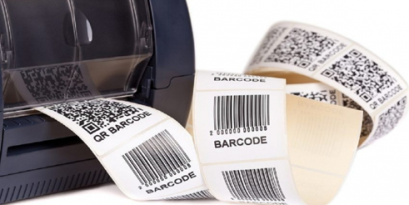
If your printing needs are durable and high resolution, especially for traceability applications (barcodes) and labels requiring resistance to abrasion, chemicals, exposure to sunlight and heat, we recommend the use of a thermal transfer label printer. However, if you are looking for an inexpensive solution with a short shelf life, choose a direct thermal printer. Summary table of the characteristics : Hereafter, the summary table of the characteristics of the two types of printing :
| Thermal transfer printing | Direct thermal printing |
Advantage
| Durable over time | Economic |
| High resolution | Simple |
Printing on different types of supports(fabrics...) | More ecological |
| Printing speed | Space-saving printer |
| Etiquettes couleur |
Disadvantages
| Ribbon to change | Very low durability |
| Not very ecological | Wear of the print head |
| More expensive |
| Applications | All areas | Retail, receipt and ticket |