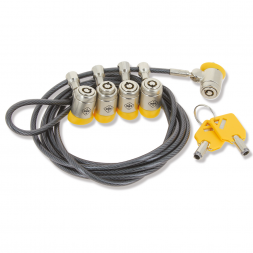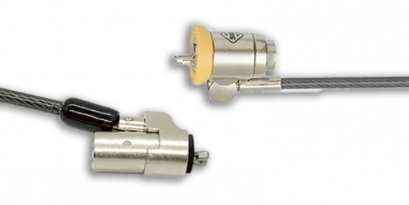
This guide breaks down how a laptop security cable works, the three Kensington fixing standards in use today, the choice between key and combination locking, the four-step installation and the decision matrix by professional context. You will find a full comparison table and the Safe-Tech patented solutions from SBE Direct.

What is a laptop security cable and how does it work?

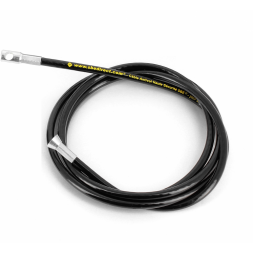
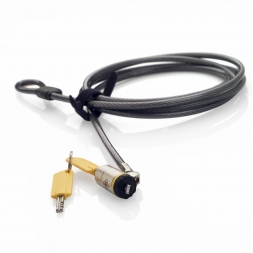
A laptop security cable is a physical security device made of braided steel that ties the computer to a fixed anchor point. A locking head engages the standard security slot on the chassis, a key or combination lock blocks release, a cable of at least 1.80 metres provides the link. Theft by pull-away becomes impossible without a heavy cutting tool.

A laptop security cable combines three mechanical components: a braided steel cable (4 to 6 mm diameter), a locking head compatible with the laptop's security slot, and a lock. The head slides into the slot, the lock engages, the other end wraps around a stable fixed point. Opportunistic theft becomes impossible in under 30 seconds, the threshold above which 90 per cent of thieves abandon the attempt.

Why a security cable is still essential in 2026. The laptop remains the first IT asset stolen at work: roughly one laptop is lost or stolen every 53 seconds across European professional environments. The threat rarely comes from a heavy break-in, but from opportunistic theft in a meeting room, an open-plan office, a reception desk or a trade event. A properly installed cable neutralises this risk for under 30 GBP per workstation.

The three Kensington fixing standards: slot, Nano, Wedge

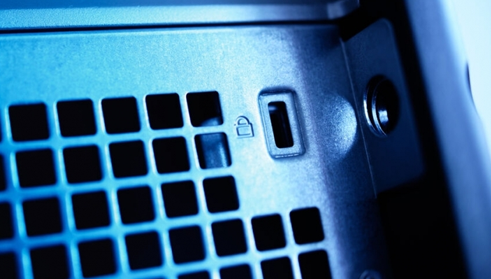
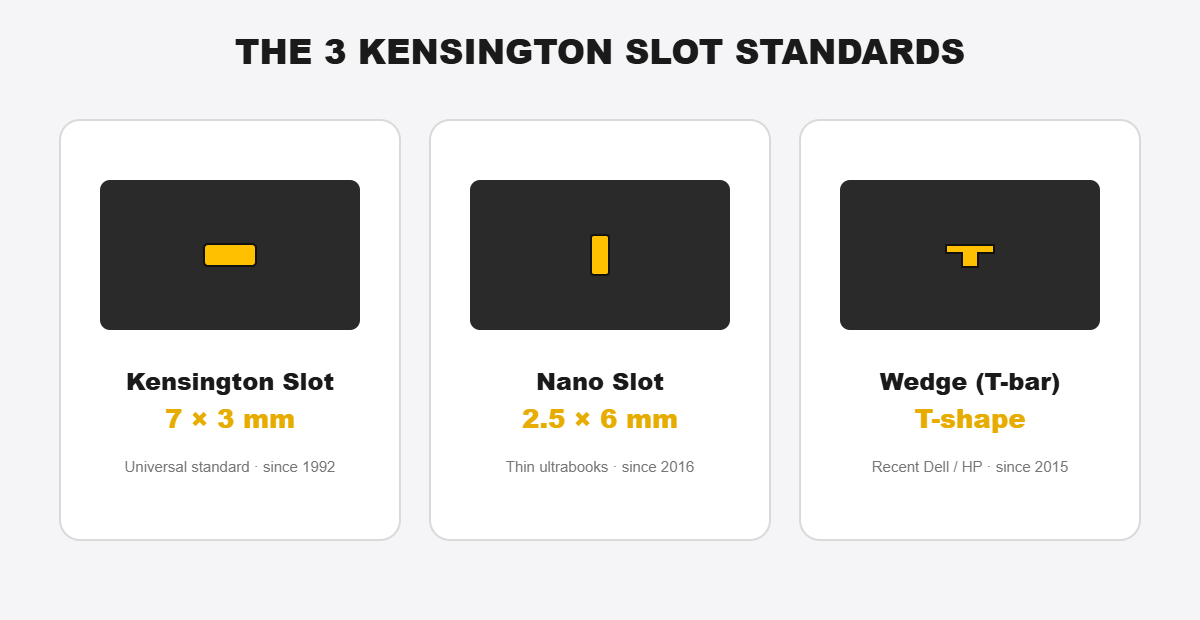
A Kensington security cable plugs into a standardised slot present on nearly every professional laptop. Three formats coexist: Kensington Security Slot (7×3 mm, 1992 standard), Nano Security Slot (2.5×6 mm, ultrabooks since 2016), and Wedge-Shaped Security Slot (T-bar Dell/HP). The slot format dictates the compatible cable, never the other way around.

The three Kensington laptop security slot standards compared: Kensington Slot, Nano Slot and Wedge T-bar

Kensington Security Slot (K-slot)

7×3 mm, equipping the vast majority of professional laptops since 1992. Universal standard: a K-slot certified cable works across tens of thousands of Dell, HP, Lenovo, Asus, Acer, MSI models. The head enters, rotates a quarter turn, locks via internal cam.

Nano Security Slot (thin ultrabooks)

2.5×6 mm, three times smaller than a K-slot. Found on Dell XPS 13, thin HP EliteBook, ThinkPad X1 Carbon, Surface (adapter), ZenBook. A Nano cable does not fit a K-slot, and vice versa.

Wedge-Shaped Security Slot (T-bar, recent Dell and HP)

Developed by Kensington in 2015, the Wedge T-shaped format equips some recent Dell Latitude, HP EliteBook and ProBook models. Its inverted-T geometry improves resistance to lateral pull-out. SBE Direct offers the Safe-Tech Light Wedge cable, compatible with these formats.

Laptops with no slot: the adhesive anchor

Some ultrabooks, convertible tablets or Chromebooks ship with no security slot. Solution: an adhesive Safe-Tech anchor bonds onto the case with an industrial cyanoacrylate resin and creates a fresh anchor point compatible with a standard cable. The industrial bond makes tampering destructive.

Laptop security cable types: locking, materials and length

Laptop security cables differ along three axes: locking type (key or combination), braided steel cable diameter (4 to 6 mm), and the number of locking heads (single or multiple to secure several workstations with one cable).

Key lock vs combination lock

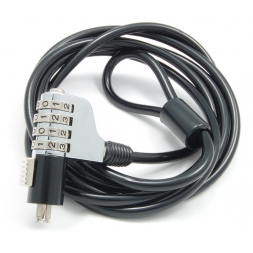
A key cable offers maximum security, with key management to organise and a loss risk to plan for. A combination cable uses a 3 or 4-digit code: no key to manage, user-editable code, but lower resistance to picking. SBE Direct rule: keys in low-rotation environments (assigned workstations), combinations in high-rotation ones (shared room, training, events).

Diameter, material and resistance

A 4 mm cable is an office baseline. A 5 mm withstands standard hand cutters. A 6 mm, such as the Safe-Tech high security laptop cable, only yields to hydraulic cutters or an angle grinder, loud tools incompatible with a discreet theft.

Single-head vs multi-head

A multi-head sliding cable secures several devices with one cable and one anchor: dual-screen workstation, laptop plus dock, classroom desk. One lock, several devices secured. See the Safe-Tech double-head security cable.

Comparison table: laptop security cables

Cable typeStandardDiameterLockingPriceTarget use
Safe-Tech Laptop Security CableKensington Slot3.5 mmKey17 to 21 GBPOffice, open-plan
Safe-Tech High Security CableKensington Slot6 mm hardened steelKey17 to 28 GBPHigh-risk area, event
Combination laptop cableKensington Slot5 mm4-digit combination17 to 21 GBPShared IT room, training
Safe-Tech Double-Head cableKensington Slot4 mmKey63 to 82 GBPMultiple stations, dual screen
Safe-Tech Light Wedge for DellWedge Slot4 mmKeyfrom 20 GBPRecent Dell Latitude fleets
Safe-Tech adhesive anchorAdds a K-slotNo cableBonded anchorfrom 6 GBPSlotless laptops, tablets

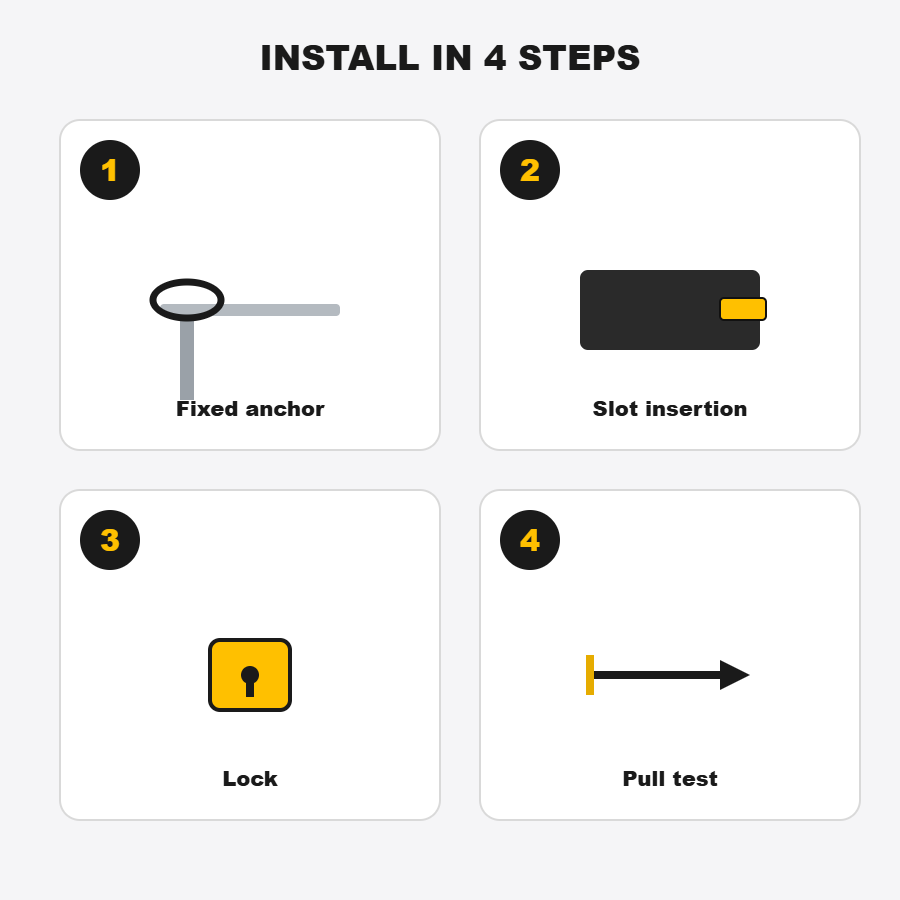
How to install a laptop security cable in 4 steps

Installing a laptop security cable in 4 steps: find the slot, insert the lock head, secure and check

Installing a laptop security cable takes under 30 seconds. No tool, no OS interaction, no chassis opening.

  1. 1Wrap the cable around a solid, fixed anchor point. A bolted-down table leg, a structural post, a wall-fixed metal bar. Avoid chair legs, drawer handles or power cables.

  1. 2Insert the locking head into the laptop's security slot. Push it all the way in, then rotate as the mechanism requires (usually a quarter turn clockwise).
  2. 3Engage the lock. Turn the key and remove it, or set the code. A key left in the lock defeats the whole point.
  3. 4Test the fixing with a firm pull. No slack, no slip. If the head moves, redo the insertion; if the cable moves, change the anchor point.

How to choose your security cable by use case

Choosing a laptop security cable depends on three variables: workstation stability (fixed or mobile), risk exposure (public access or controlled area) and the number of devices to secure on a single anchor.

Professional contextTheft riskRecommended cable
Individual closed officeLowSafe-Tech 3.5 mm key cable
Corporate open-planModerateSafe-Tech 3.5 mm key cable + systematic locking
School or university IT roomHigh (rotation)Combination or multi-head cable
Training or meeting roomHigh (public access)Safe-Tech 6 mm high-security key cable
Trade event, exhibitionVery highSafe-Tech 6 mm high-security key cable
Mobile worker, hotel remote workVery highSafe-Tech 6 mm compact travel cable
Reception, public hall, showroomExtreme6 mm high-security cable + Safe-Tech marking
Multiple stations on one tableContext-dependentMulti-head sliding cable

Beyond the cable: Safe-Tech marking and complementary solutions

A laptop security cable addresses theft by carrying away, but not internal component theft (SSD, RAM) or resale of stolen hardware. Safe-Tech anti-theft marking, patented by SBE Direct, makes each device identifiable, traceable and non-resellable, even after a successful theft.

SBE Direct proprietary data. Safe-Tech anti-theft marking, patented and deployed across France since 1998, shows a measured 96 per cent reduction in theft over more than 900,000 tamper-proof plates installed. A numbered plate bonded with an industrial cyanoacrylate resin makes any removal destructive: a Safe-Tech-marked laptop becomes non-resellable, removing the economic motive for theft at the source.


Beyond the cable and the marking, the SBE Direct anti-theft ecosystem covers the whole fleet: phone and tablet security, computer locks, secure laptop and tablet charging stations, and audio-visual locks.

Related products

Continue reading...
These articles too might interest you.

What is the difference between a Kensington and Dell security cable?

Before you buy an anti-theft cable, it is important to know if it is compatible with your computer. In this article, we present the 3 types of anti-theft cables, specific to a security slot present on a PC.

Product News
20909 views

The mobile charging cart, simple and secure management of laptops and tablets

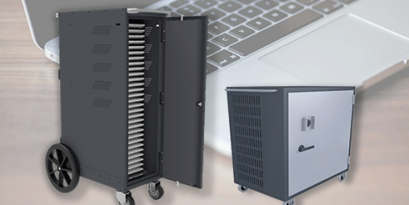
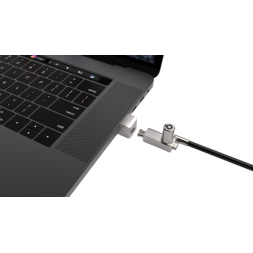
Digital tools are increasingly used in companies as well as in schools. However, computer rooms are becoming obsolete with old PCs and are less and less used because of technical, pedagogical and organisational obstacles. This is why schools are investing in state-of-the-art equipment such as laptops and tablets. Access to these tools must be controlled and secured to avoid any risk of loss or theft. SBE offers you the solution with two laptops charging stations, made in Sweden, suitable for storing and charging laptops and tablets. These mobile classrooms ensure the security of electronic devices in companies and public institutions such as schools.

SBE advise you
9037 views

Computer theft in figures

In a world where digital technology is becoming more and more essential and present within companies, the risk of theft of computer products is increasing.

SBE advise you
9741 views

Laptop security cable FAQ

How does a laptop security cable work?

A laptop security cable physically ties the computer to a fixed anchor point via a braided steel cable. A locking head engages the laptop's standardised security slot, a key or combination lock blocks release, a 1.80 to 2.50 metre cable provides the link. Theft by pull-away becomes impossible without heavy cutting tools, which neutralises over 90 per cent of opportunistic thefts at work.

What if my laptop has no Kensington slot?

Two options: bond an adhesive Safe-Tech anchor on the chassis with an industrial cyanoacrylate resin, or pick a lock compatible with another anchor point. Always check your laptop model's technical sheet before purchase — some thin ultrabooks only ship with a Nano Security Slot of 2.5×6 mm.

Key lock or combination lock: which one to choose?

Pick a key for fixed workstations assigned to a single user, a combination for shared workstations with high rotation such as school IT rooms, training rooms or events. Keys offer higher resistance to picking; combinations remove key management and allow fast unlocking.

Can a security cable be cut?

A standard 4 mm cable yields to hand cutters in about 20 to 30 seconds. A 6 mm high-security cable in hardened steel only yields to hydraulic cutters or an angle grinder, loud and visible tools. The cable's purpose is not to be uncuttable, but to make theft too long, too loud and too visible to be attempted.

How do I secure multiple laptops in an IT room?

Three approaches combine: a multi-head sliding cable on a single anchor, a secure charging cabinet for storage outside usage, and Safe-Tech anti-theft marking on each device to make hardware non-resellable. This combination covers 100 per cent of theft scenarios in a school or university environment.

Secure your IT fleet

Safe-Tech laptop security cables, patented markings and complementary solutions. Over 11,000 B2B clients since 1992.

View laptop locks →
See the author's articles
Melissa Oumaouche

With over 5 years of experience in creating content optimized for search engines, Mélissa is currently Marketing & Product Manager at SBE Direct, where she leads the product catalogue positioning across the e-commerce website and marketplaces, as well as the SEO content strategy in coordination with the marketing team she oversees.

We use cookies to improve your experience.