Choosing the right label size is essential to ensure clear printing, good product presentation, and compliance with logistics or regulatory requirements. Whether you're in retail, logistics, food, or another sector, here are the key steps and criteria to help you make the right choice.
1. Determine the intended use of the label
First, you need to know what the label will be used for. Needs vary by industry:
- Product labeling: product name, price, barcode, legal information, logo.
- Shipping and logistics: shipping addresses, tracking numbers, QR codes.
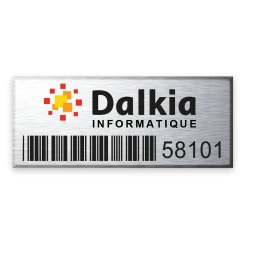
- Internal inventory: numbering, item references, internal codes.
- Food labeling: expiration date, ingredients, allergens, nutritional information.
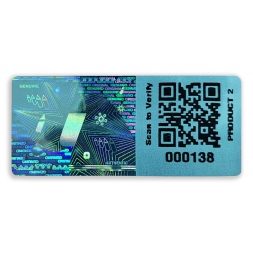
- Security or warranty labeling: destructible labels, VOID, tamper-evident seals.
Each use may require a different size depending on the amount of information to display, the level of security needed, or the desired readability.
The type of label also plays an important role. There are different materials with specific properties:
Available in rolls or sheets, depending on the printing method. These features directly impact printer compatibility, printing method (thermal transfer or direct thermal), and the label size options.
2. Consider readability and design
The label must be large enough to:
- Include a scannable barcode or QR code
- Contain small text (ingredients, legal mentions, etc.) while remaining clear
- Include a logo or regulatory pictograms (e.g., recycling, allergens)
Color choices greatly influence readability: dark text on a light background is easier to read and scan. Also, use standard sizes when possible.
3. Analyze the labeling surface
Measure or observe the available surface on the packaging, box, or product. A label that is too large may peel off or wrap incorrectly, while a label that is too small may be unreadable.
Practical tips:
- For bottles or vials: labels should follow the curvature and shape.
- For boxes or shipping cartons: labels must fit without sticking out.
4. Choose the right label printer
Not all thermal transfer printers support the same label formats. Make sure to check the following:
Each printer has a maximum printable width. This is usually between 50 mm and 110 mm for desktop printers and higher for industrial models.
Important: Printable width is not the same as the actual label width. Always allow a margin of 3 to 4 mm on each side to avoid overflow. For example, if your printer supports up to 104 mm, your labels should be about 108 mm wide max.
- Core compatibility (standard 40 mm)
The core is the cardboard tube at the center of the label roll. It fits into the printer and allows the roll to turn. If the core is too large, it won’t fit. If too small, it may rotate incorrectly, causing misprints or printer errors.
The roll’s total diameter includes the core and all wound labels. It must fit into the printer’s compartment.
Tip: Start from either the label or the printer
There are two ways to proceed:
You already have a printer: Check its specs (max width, roll diameter, core size) and choose compatible labels.
You already have a label format in mind: Then choose a printer that supports the label’s width, material, and roll type.
- Cutting type: continuous, pre-cut labels, etc.
- Printing type: thermal transfer or direct thermal (this affects material choice and sizing accuracy).
5. Adjust based on the label design software
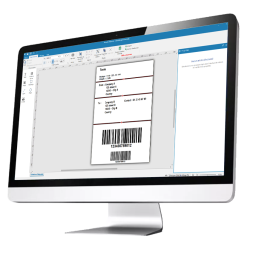
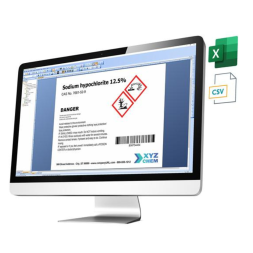
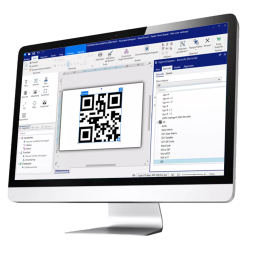
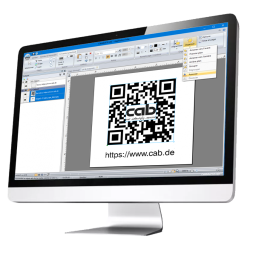
Some software tools (like ZebraDesigner, Bartender, Loftware Designer, Cablabel S3) offer pre-designed templates. This saves time and helps avoid layout errors, especially when using standard label sizes.
The label design software plays a key role in creating and customizing your labels. Using the right tool helps avoid formatting issues and takes full advantage of your printer’s capabilities.
Create and print your own labels easily with intuitive software compatible with various printers and label formats.
For example:
ZebraDesigner, Bartender, and Loftware offer ready-to-use templates for standard sizes.
For CAB and SATO printers, we provide dedicated software solutions to customize your labels efficiently.
These tools are designed for product identification and labeling across sectors (logistics, industry, retail, healthcare, etc.).
Good to know: Free versions of these software tools are available on the SBE Direct website. (Pro versions are required for RFID label setup.)
Summary Table – How to Choose the Right Label Size
| Criteria | Why it matters |
|---|
| Label usage | To determine what information needs to be displayed based on the industry: product, logistics, food, security, etc. |
|---|
| Label type / material | Each material (polypropylene, polyester, destructible, VOID, RFID...) has specific technical and usage characteristics. |
|---|
| Available surface | To avoid labels that are too large (peeling off) or too small (unreadable). |
|---|
| Readability & design | To ensure clear reading of text, pictograms, and barcodes (with proper color contrast). |
|---|
| Printer compatibility | To ensure the label width, core size, and roll diameter match your printer’s capabilities. |
|---|
| Cutting & printing method | Depending on whether you use pre-cut, continuous labels, and thermal transfer or direct thermal printing. |
|---|
| Standard format | To simplify label management, reduce costs, and ensure software compatibility. |
|---|
| Label design software | To create and print labels easily with the correct layout (ZebraDesigner, Bartender, etc.). |
|---|