11 Criteria for Choosing Your Inventory Management Software

11 Criteria for Choosing Your Inventory Management Software

Choosing inventory management software is not simply about comparing feature lists. The right solution is above all the one that matches your workflows, the nature of the products or equipment you track, the number of employees and sites involved, and the level of traceability your company needs.

Tracking goods in and out, stocktakes, stock alerts, item location, barcodes, RFID, multi-site management, reports... The options are many. A solution that is too basic will quickly show its limits. Conversely, oversized software can make your teams' work unnecessarily complex.

To choose inventory management software, start by analysing your business needs, the features you cannot do without, the identification technologies you use, how well the solution integrates with your information system, and its overall cost.

Key points

  • →Inventory management software centralises data on products, goods in, goods out and stock levels in order to improve day-to-day tracking
  • →The right solution depends in particular on the size of the company, the number of items, the number of users and sites, and the complexity of the workflows
  • →Real-time tracking, alerts and the automation of certain tasks help you anticipate stockouts and replenishment needs
  • →Identification technologies such as barcodes, QR codes or RFID make product traceability easier and can speed up stocktakes
  • →Ease of use, integration options, scalability, security and total cost are among the main criteria to compare before you choose

1. Start by defining your inventory management needs precisely

Before comparing the software available, you must decide what you really want to manage.

A retailer tracking a few hundred items does not have the same needs as a company with several thousand items of equipment spread across different buildings, warehouses or employees.

Ask yourself the following questions:

  • →How many items, products or assets do you need to manage?
  • →Do you manage consumables, goods, equipment or several categories at once?
  • →How many people will use the software?
  • →Do you have one storage location or several?
  • →Do you only need to know the quantities available, or also the location and history of each item?
  • →Do you carry out physical stocktakes on a regular basis?
  • →Is some equipment loaned, rented, moved or sent for maintenance?
  • →Do you already use barcodes, QR codes or RFID tags?
  • →Is your stock volume likely to grow?

This step allows you to draw up a genuine set of requirements and avoid choosing a solution simply because it offers a lot of features.

The company's real need must remain the starting point: the right software is the one that matches its current organisation while being able to support its growth.

2. Check which management features you really need

Once your needs are defined, you can review the features offered by the different software packages.

Tracking goods in and out

This is the basis of any inventory management software.

Every receipt, issue, transfer or return must be recorded so that you know the quantities available and keep a reliable movement history. To go further, a tool for tracking operations and stock lets you centralise supplies, deliveries, repairs and other movements linked to your assets.

For a company with several stores, branches or warehouses, also check whether you can track stock by location and manage transfers between sites.

Stock thresholds and alerts

The software must be able to warn you when an item reaches a defined level.

These alerts make replenishment easier and help prevent two costly situations:

  • →Stockouts
  • →Overstock and capital tied up in goods that are not needed

Depending on the solution, you can also automate some replenishment operations. Alerts and automation are therefore important features to compare when choosing your software.

Stocktake management

If your teams still run their stocktakes from a spreadsheet or on paper, this criterion deserves particular attention.

The software must make it easy to compare the theoretical stock recorded in the system with the stock actually found on site, so that you can identify any discrepancies.

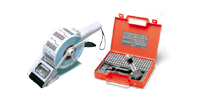
The physical identification of assets can then rely on inventory labels that link a reference to each product or item of equipment.

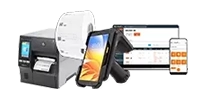
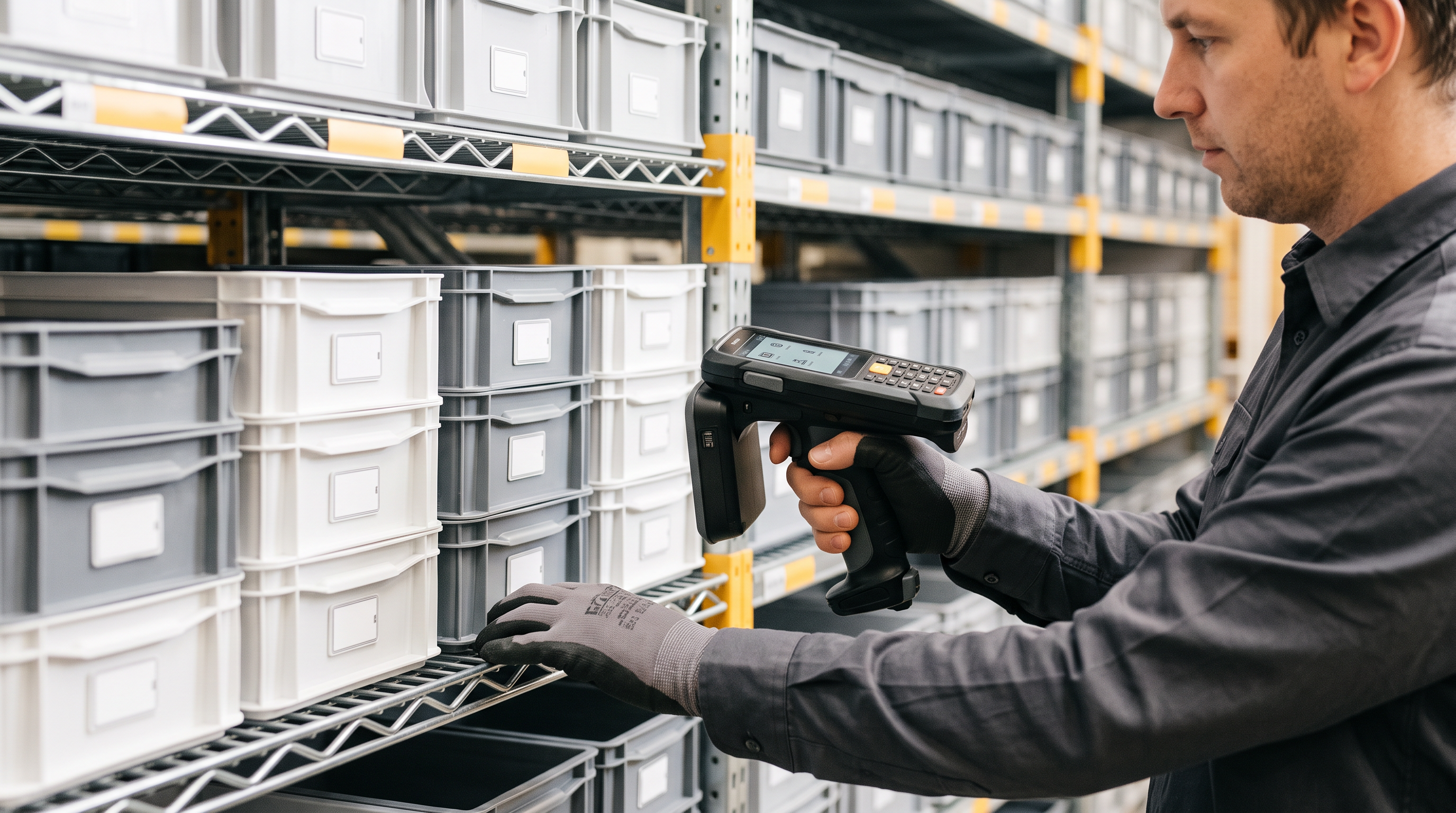
Being able to run a stocktake from a smartphone, a tablet or a mobile terminal can also simplify operations and cut down on re-entering data. A mobile app for inventory management lets you scan assets directly in the field and update the related information, for example.

Traceability of products and assets

Not every company needs the same level of traceability.

Depending on your activity, check whether you can record:

  • →A reference or a unique identifier
  • →A serial number or batch number
  • →A location
  • →The condition of the equipment
  • →Who holds it
  • →The movements carried out
  • →Maintenance operations
  • →The history of the asset

This distinction matters in particular when the company manages not only goods but also a fleet of equipment or assets. In that case, a broader approach to asset management makes it possible to combine physical identification, stocktaking and asset tracking.

3. Look at how products are identified: barcode, QR code or RFID

The software must not be considered separately from the system used in the field to identify products and equipment.

Barcode and QR code

The barcode is a simple way to record a product or an item of equipment quickly.

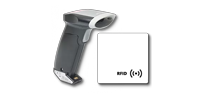
With a barcode scanner or a compatible mobile terminal, the operator scans the label to identify the asset and record the matching operation.

This method limits manual entry and the errors that can come with it.

RFID

For large volumes or frequent stocktakes, RFID can go further.

Unlike the barcode, this technology does not necessarily require each label to be scanned visually and one by one. RFID tags can be detected by a compatible reader and make identification and stocktaking easier.

The choice of software must therefore take into account its compatibility with the identification equipment and technologies used today or planned for the future. For a company that wants to link this technology to the digital tracking of its assets, RFID management software connects the data from tags and readers to the management system.

The aim is to have a consistent chain:

Software → terminal or reader → barcode / QR code / RFID → stocktake data

This interoperability avoids multiplying separate tools and makes it easier to centralise information.

4. Favour an up-to-date view of your stock

Stock information is only really useful if it is recent enough to support a reliable decision.

A synchronised solution allows the different teams to work from the same information: quantity available, location, assignment or last movement recorded.

This visibility becomes particularly important when:

  • →Several employees work on the stock
  • →Several sites are involved
  • →Equipment moves between teams
  • →Operations are carried out in the field
  • →Product movements are frequent

Real-time tracking therefore gives a more reliable view of stock and makes decision-making easier.

5. Check how it integrates with your other tools

Inventory management software rarely works in complete isolation.

Depending on your organisation, you may need to connect it to:

  • →Your ERP
  • →Your accounting software
  • →Your sales management solution
  • →Your e-commerce website
  • →Excel or CSV files
  • →Your document management system
  • →Other business applications

The aim is above all to avoid entering the same information several times and to keep data consistent across systems.

Before choosing your solution, check exactly which import, export, API or connection options are available.

Integration must be anticipated as soon as you choose the software, because incompatibility with the existing system can require extra hardware, adaptations or costs.

6. Take ease of use and field conditions into account

Very comprehensive software is not necessarily the best fit for your teams.

If every operation requires several complex steps, employees may bypass the tool or keep working with their own files.

Test in particular:

  • →How simple the interface is
  • →The number of steps needed to record an operation
  • →The quality of the search engine
  • →How far screens can be customised
  • →Use on a smartphone or tablet
  • →How easy it is to run a stocktake
  • →The management of user profiles and access rights

Ideally, involve the future users concerned in testing the solution. Their feedback shows whether the software really matches the constraints met in the field.

7. Choose software that can grow with your company

Do not choose your software solely on the basis of your current stock.

Today you may manage a few hundred items on a single site, and tomorrow have to track several thousand across different locations.

So check whether the solution makes it easy to:

  • →Add new user accounts
  • →Increase the number of items or assets
  • →Manage several sites
  • →Add new features
  • →Integrate new identification technologies
  • →Connect new software

Scalability avoids having to replace your system completely when the company's activity or management needs change.

8. Check security and user rights management

Inventory management data can contain sensitive information: the value of equipment, where it is located, who holds it, or its movement history.

The software must therefore let you define precisely who can view, add, change or delete information.

Role and rights management becomes particularly important when the same software is used by different departments, sites or locations.

It is also worth checking the authentication, backup and data security arrangements the solution offers.

9. Compare the total cost, not just the software price

Two software packages with a similar price tag can turn out to be very different investments.

On top of the price of the solution, you may have to add:

  • →Commissioning
  • →Configuration
  • →Data migration
  • →Team training
  • →Additional user accounts
  • →Add-on modules
  • →Terminals and readers
  • →Maintenance
  • →Support
  • →Specific developments or integrations

It is therefore better to think in terms of total cost of ownership rather than a simple licence or subscription price.

This analysis is particularly important when you compare a free solution with a paid offer.

10. Assess the quality of the support offered

Choosing software does not stop at its technical specifications.

Also look at what the publisher or supplier offers: technical support, documentation, training, help with configuration and how often updates are released.

This becomes essential when software is directly involved in your daily operations. A technical problem that is poorly resolved can disrupt stocktakes, goods movements or the availability of information.

Training must also be part of your thinking: it can be an additional cost, but it helps teams use the software better.

11. Test the software before you decide

A demonstration is often more informative than a long list of features.

Prepare a few scenarios matching your activity and ask for them to be reproduced in the tool.

For example:

“I receive 50 items, transfer 10 of them to a second site, assign 3 to an employee and then launch a stocktake. How are these operations carried out?”

This lets you check in practice how simple the software is and decide whether the advertised features really match your organisation.

Where possible, opt for a demonstration or a trial before making your decision.

How can you optimise stock management with software?

Installing software is not enough on its own to optimise stock management. To obtain reliable data and make full use of the solution, you also need to structure your management operations and automate the tasks that can be automated.

Centralise stock data

The first step is to have a single source of information.

Products, references, quantities, locations and movements must all be recorded in the same system. This centralisation limits the spread of Excel files and the differences between the information held by different departments.

When several sites or teams work on the stock, each of them can then work from the same data.

Record every stock movement

Reliable management assumes that every movement in and out is recorded: receipt of a supplier order, transfer between two locations, assignment of an item of equipment, return or final issue.

Using barcodes, QR codes or RFID tags can make this easier. Identifying the product links the movement directly to the right reference and limits manual entry.

Set thresholds and alerts

Software also lets you use the available data to anticipate needs better.

By setting minimum stock thresholds, the company can be alerted when a product reaches a critical level and prepare replenishment before a stockout.

Depending on the features available, some tools go further with automated replenishment rules or mechanisms.

Run regular stocktakes

Even with software, you still need to check periodically that the recorded stock matches the physical stock.

Stocktakes reveal stock discrepancies and help you look for their causes: an unrecorded movement, a data entry error, a product that has been moved, a loss or damage.

For large fleets, combining software with terminals or identification technologies speeds up checks in the field. The choice between barcode and RFID depends in particular on the number of assets and how often operations take place.

Make use of reports and data

One of the benefits of inventory management software is that it does not simply record movements: it also lets you analyse the data collected.

Creating management and stocktake reports makes it possible to use the recorded information to track assets, monitor operations or prepare certain audits.

This data can then be used to adjust stock levels, spot anomalies or improve supply methods.

Automate tasks step by step

Automation does not have to cover every task from day one.

It can be more sensible to start with repetitive operations or those most exposed to errors: threshold alerts, recording movements, stocktakes, report generation or synchronisation with other tools.

The aim is to use the software to reduce manual operations while improving data reliability, rather than adding another layer of management.
Which software suits SMEs or large companies best?

The choice of inventory management software depends heavily on the size of the company, but also on the complexity of its flows, the number of items, sites and people who will work with the software.

For a very small business or an SME, a simple and scalable solution is generally preferable. It must cover the essential features: managing goods in and out, tracking stock levels, stocktaking, alerts, movement history and reports.

An intuitive interface and a mobile app can also make adoption by the teams easier. SaaS solutions are particularly useful when they let you start with a limited scope and then gradually widen the number of users or the features available.

An SME with several sites or a large fleet will need more traceability, multi-site management and automation features. Compatibility with barcodes, QR codes or RFID can also become decisive in speeding up stocktakes and making product or equipment tracking more reliable.

For a large company, the criteria change again. The software must handle a high volume of data, many users and more complex operations. Rights management, data security, integration with an ERP or other business tools and the ability to automate certain processes then become priorities.

So there is no single ideal software for every company. An SME does not necessarily benefit from choosing the solution with the most features: the best software is the one that meets current needs while being able to support the growth of the business.

SaaS, installed software, ERP or specialised solution: which should you choose?

There are several families of solutions and they do not meet exactly the same needs.

Specialised inventory or stock management software focuses on tracking products, quantities, locations and movements.

An ERP covers a much wider scope of the company and can include, depending on the system, accounting, purchasing, sales, production or stock management.

A WMS (Warehouse Management System) is more geared towards the operational management of a warehouse and its logistics flows.

The hosting model is another criterion. A SaaS solution is accessed online and generally works on a subscription basis. Software installed on the company's own infrastructure may answer other technical or organisational constraints.

The right choice therefore depends more on the scope to be managed and on your processes than on the number of features advertised by the publisher.

SAM: a solution for managing both stock and assets

For companies that need to manage their stock, their equipment or their asset fleet, SBE Direct offers SAM - SBE Asset Manager.

The software centralises information about assets and tracks their life cycle: stocktakes, assignments, movements, loans and maintenance operations.

It can be used to manage different types of equipment and hardware and to make them easier to identify in the field.

It also fits into an environment using barcodes, QR codes or RFID technologies, linking software management to the systems used to identify assets.

The benefit is that the software is no longer seen as an isolated tool, but as one component of a comprehensive asset management solution :

Identify → record → locate → track → take stock → analyse

For a company managing a large fleet, several teams or different sites, this centralisation makes equipment tracking and stocktaking easier.

Summary table: the criteria to check before you choose

CriterionQuestions to ask
FeaturesDoes the software cover my real operations?
StocktakingCan I easily run my stocktakes and identify discrepancies?
TraceabilityCan I find the history and location of an asset?
IdentificationDoes the software work with my barcodes, QR codes or RFID equipment?
Multi-siteCan I track several stores, buildings or warehouses?
MobilityCan I work from a smartphone, a tablet or a mobile terminal?
IntegrationsCan it exchange data with my ERP or my other software?
AccessCan I assign different rights by profile?
ScalabilityCan the solution support the growth of my business?
CostWhat is the total cost: software, hardware, training, integration and maintenance?
SupportWhat support is provided after deployment?
TrialCan I test the software on my own use cases?

FAQ on choosing inventory management software

What is the most important criterion for choosing inventory management software?▾

The first criterion is the fit with your company's real needs. The software must cover the operations you carry out every day: goods in and out, stocktakes, location management, alerts, traceability, multi-site working or identification by barcode or RFID.

A rich feature set is therefore not an end in itself. Simpler software that fits your organisation perfectly can be more relevant than a very complete solution that is hard to use.

What is the difference between inventory management software and an ERP?▾

Inventory management software mainly specialises in tracking items, quantities, locations and movements.

An ERP has a wider scope and centralises several company functions, such as accounting, purchasing, sales, production or stock management.

Why choose software that is compatible with RFID?▾

Software compatible with RFID can be particularly useful when the company has to take stock of a large number of products or items of equipment.

Unlike a barcode, which generally has to be read one at a time, RFID allows several tags to be identified with a compatible reader. It can therefore speed up stocktakes and make asset traceability easier.

Does inventory management software have to work in real time?▾

That depends on your activity, but fast data updating becomes particularly important when several teams or several sites work on the stock at the same time.

It gives employees shared information on quantities, movements and product locations.

Should you choose SaaS inventory management software?▾

A SaaS solution can be particularly suitable when several employees or sites need to access centralised information from different devices.

The choice nevertheless depends on your technical constraints, your security requirements, the integration options and the cost of the software.

Centralise the tracking of your stock and assets

SAM - SBE Asset Manager works with your barcodes, QR codes and RFID tags.

Discover SAM →

We use cookies to improve your experience.